

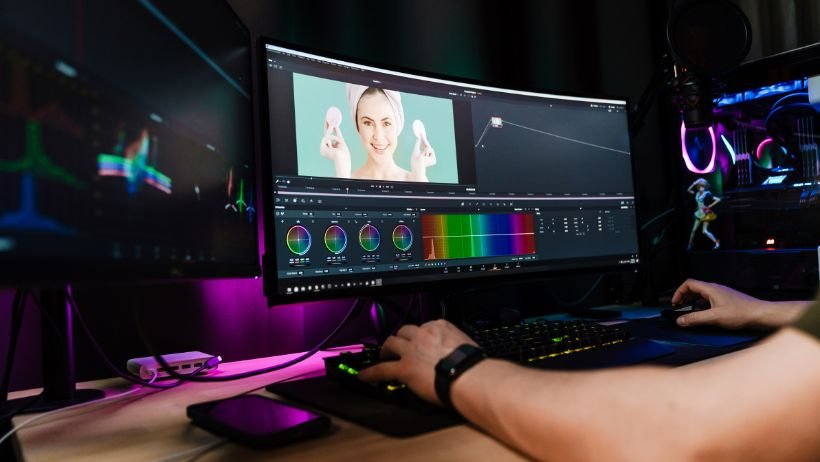
The graphic design industry has experienced a monumental shift. You no longer need to rely on complex desktop software or possess years of technical expertise to manipulate visual media. Today, browser-based generative technology allows anyone to transform a basic photograph into a stunning, studio-grade asset within seconds.
Whether you are an independent creator trying to elevate your social media presence, a marketer churning out ad variations, or a developer building custom applications, finding the right AI image editor can drastically reduce your production time. Below is our definitive ranking of the top-performing online image editing platforms available this year.
1. Magic Hour — The Ultimate Multi-Modal Creative Studio
Taking the absolute top spot for 2026 is Magic Hour. While most online editors strictly focus on static graphics, Magic Hour transcends traditional boundaries by offering a fully integrated, multi-modal creative ecosystem. It is the perfect hub for digital creators who want to push their static images into dynamic video content without ever leaving the browser.
The Magic Hour Advantage
What sets this platform apart is its dedication to eliminating “subscription fatigue.” Instead of paying for a separate background remover, a face swapper, and a video animator, Magic Hour bundles everything into a single, high-performance workspace.
- Unrivaled Feature Set: Beyond advanced photo retouching, the platform features best-in-class face swapping, lip-syncing accuracy, and talking photo modules. You can effortlessly turn a still portrait into an expressive, speaking character.
- Frictionless Entry & Non-Expiring Credits: You can test the platform instantly with an unusually generous free tier of 400 credits—absolutely no signup or credit card required. Best of all, unlike competitor platforms that force a “use-it-or-lose-it” monthly cycle, Magic Hour credits never expire.
- One-Click Multi-Step Automation: Magic Hour simplifies complex tasks through click-to-create templates and automated workflows. With a single command, you can generate an image, upscale its resolution, and animate it into a video sequence (generate → upscale → video).
- Frontier AI Access & Rapid Iteration: The platform aggregates numerous top-tier AI models in one place, allowing you to generate fast variations and multiple takes. Furthermore, users benefit from weekly feature releases that keep the toolset on the cutting edge.
- Scalability and Reliability: Built for heavy commercial use, it handles live brand activations and traffic spikes effortlessly via parallel generations (meaning there is no concurrency cap holding up your renders).
- Professional Support & API Parity: The platform is fully optimized for both desktop and mobile interfaces, provides founder-level customer support, and offers full API parity so developers can embed these powerful tools directly into their own software.
Flexible, Value-Driven Pricing
Magic Hour delivers exceptional ROI, particularly at the entry-level premium tiers:
- Free Plan: 400 credits to explore the tools immediately.
- Creator Plan: $15/month (or a highly competitive $10/month when billed annually) — providing robust value for everyday social media creators.
- Pro Plan: $39/month (or $25/month billed annually) — unlocks 1472px resolutions and grants access to priority processing queues.
- Business Plan: $99/month (or $66/month billed annually) — built for agencies requiring high-volume output and full 4K capabilities.
2. Pixlr AI — Best for Traditional Image Manipulation
Pixlr has successfully merged classic photo editing interfaces with modern generative AI. If you are accustomed to layer-based editing but want the added power of AI generative fill and intelligent object removal, Pixlr provides a comfortable middle ground. It is incredibly responsive in the browser, making it a great choice for users who want to fine-tune pixels manually alongside AI enhancements.
3. Canva Magic Studio — Best for Social Media Marketers
Canva continues to dominate the everyday design space. Its Magic Studio incorporates AI directly into a drag-and-drop workflow, making it effortless to remove backgrounds, expand images, or swap out elements in social media graphics and presentation slides. While it doesn’t offer the deep video animation or face-swapping capabilities of Magic Hour, it is indispensable for pure graphic design and typography integration.
4. Photoroom — Best for E-commerce Product Photography
If your primary goal is selling physical products, Photoroom is specifically engineered for you. It excels at instantly extracting products from messy backgrounds and placing them into hyper-realistic, AI-generated studio environments. It is a highly specialized tool that saves e-commerce businesses thousands of dollars in professional photography costs.
5. Adobe Firefly (Web) — Best for Commercial Brand Safety
For enterprise teams deeply concerned with copyright compliance, Adobe’s web-based Firefly editor is a safe haven. Because its AI models were trained exclusively on licensed and public domain imagery, businesses can use the generated outputs without fear of IP infringement. It is a powerful standalone web tool for generative fill and text effects, though the pricing structure is tied closely to the broader Creative Cloud ecosystem.
Frequently Asked Questions (FAQs)
What makes an AI editor different from traditional software?
Traditional tools require you to manually adjust lighting, clone out blemishes, or painstakingly mask out backgrounds. An AI-powered platform understands the context of the image, allowing you to simply describe what you want to change (e.g., “remove the people in the background” or “change the lighting to golden hour”) and letting the machine do the heavy lifting in seconds.
Do I need to create an account to start editing?
Not necessarily. While many platforms keep their tools behind email registrations, platforms like Magic Hour allow you to jump straight in and start creating with no signup required to try the interface.
Can I use AI to animate my edited photos?
Yes! The industry is moving beyond static images. Advanced studios like Magic Hour allow you to take a photo you’ve just edited and immediately push it through an AI video pipeline, applying lip-syncing or talking photo animations to bring the visual to life.
Are these tools suitable for professional commercial use?
Absolutely. Most top-tier platforms explicitly provide commercial usage rights for users on their paid subscription tiers. This means you can confidently use your edited images and generated videos for paid advertisements, client projects, and brand merchandising.
Final Thoughts
The days of struggling with steep learning curves for basic photo manipulation are over. In 2026, your creative velocity depends entirely on the tools you choose to integrate into your workflow.
For creators who want to maximize their output, Magic Hour is the definitive choice. By combining an incredibly generous, non-expiring credit system with a powerhouse suite of image, video, and animation tools, it serves as the ultimate creative engine for modern digital storytelling. Whether you are retouching a single portrait or launching a massive multimedia campaign, Magic Hour provides the performance and versatility to bring your vision to reality.
